HIT Software sits within a wider trading setup that includes a broker, market data, an internet connection and the trader’s own decision process. The interface is where those parts meet: prices arrive, opportunities are assessed, orders are submitted and positions are monitored. Getting that process right involves more than making a platform look organised or reducing the number of clicks needed to place a trade. A useful setup must make it clear what is happening to an order, how much exposure the account carries and what the trader can do when an expected action does not complete.
On hittingvideo.com, our HIT Software guides focus on that practical workflow, from installation and account connections through to execution, strategy testing and ongoing maintenance. This page brings those subjects together so you can begin with the part that matches your experience. New users should establish a reliable basic setup before adding automation or complex layouts. Experienced users may want to start with order handling, data quality or performance analysis. Feature availability depends on the software version, broker connection and market involved, so check the documentation for your actual installation before relying on a function shown in a guide or demonstration.
Getting Started with HIT Software
A proper setup begins with identifying what you intend to trade and how you expect to trade it. Someone monitoring a small watchlist and entering orders manually has different requirements from a trader running several charts alongside automated signals. Establish the supported operating system, memory and storage requirements, then allow room for the other applications you use during a session. Installing trading software on a machine that only just meets its stated minimum requirements leaves little room for a busy market or an unexpected background task. Keep a record of the software version and installation settings, particularly if you plan to reproduce the setup on a second computer.
Once the application runs, confirm the account environment before entering any orders. Demo and live connections should be clearly distinguishable, especially when both are available through the same interface. Check the account identifier, base currency and trading permissions, then verify the instrument details. Similar names can refer to different contracts, exchanges or expiry months. A futures contract and a CFD tracking the same underlying market can have different sizes, financing arrangements and trading hours. The first useful setup test is therefore whether the platform shows the exact instrument and account you expect, with understandable pricing and order sizes.
Connecting a Broker and Checking the Full Cost
Broker compatibility deserves its own check rather than an assumption based on a familiar logo. A broker may support a platform for one account type while using another system for a different product or jurisdiction. Confirm the connection method, supported order types and any requirements for market data subscriptions or API access. Resources such as Broker Listings can help you compare brokers and identify questions about fees, regulation and platform availability. Confirm the final details directly with the broker, including the legal entity that would hold your account. A comparison page cannot establish that a particular connection works with your installation or that every advertised feature applies to your account.
Budget for the whole setup before choosing it. Platform subscriptions, exchange data and commissions can sit alongside spreads, financing charges and currency conversion costs. Some fees are fixed, while others increase with activity or position size. A service that looks inexpensive for occasional trading may become costly when a strategy places many small orders. During initial testing, follow an order through submission, acknowledgement, execution and account reporting. Test cancellation as well as entry. The purpose is to establish that the displayed account state agrees with the broker’s records, and that you understand the charges associated with an ordinary completed trade.
Interface and Tool Layout
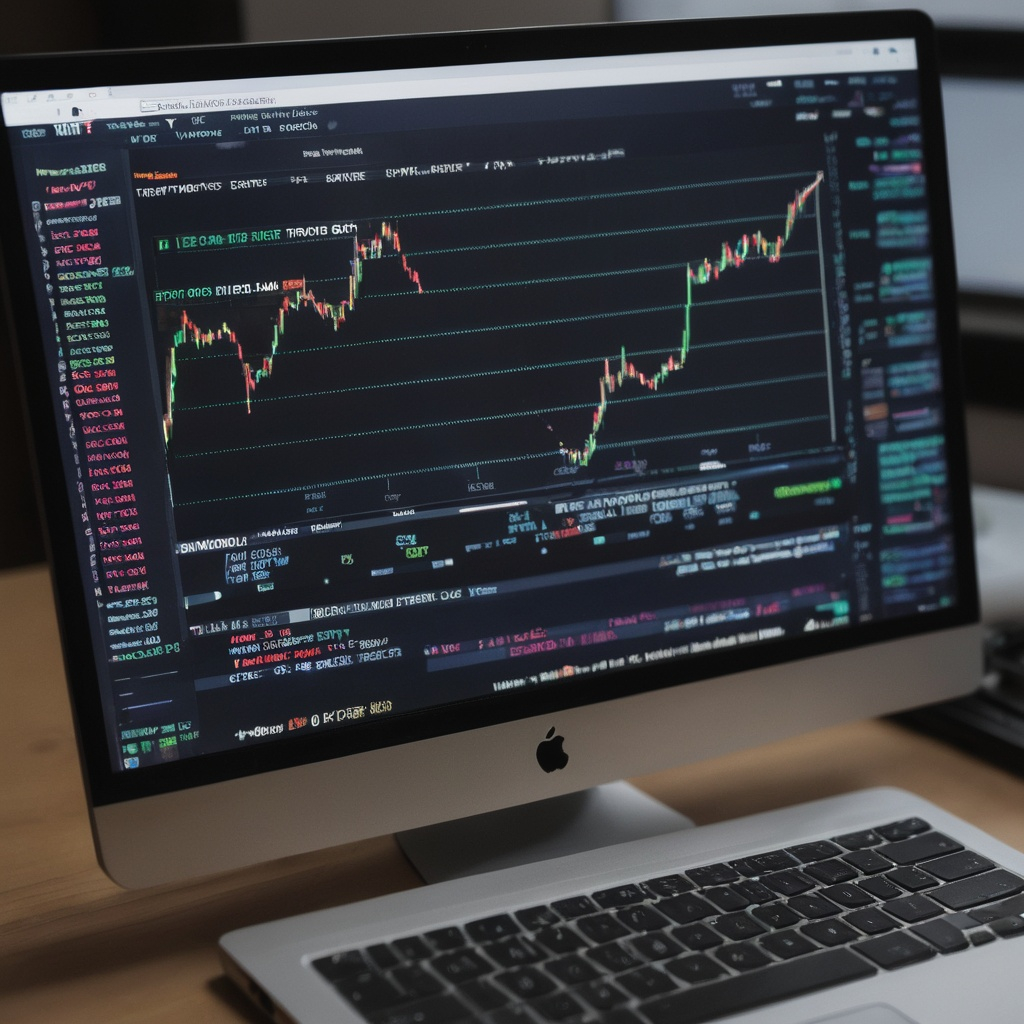
A trading layout should follow the decisions you make, with the information needed for each decision placed close together. Before entering an order, you need to identify the instrument, assess the current price and check the proposed size. After entry, attention shifts to working orders, filled quantities and open exposure. An attractive screen is of little use if the account selection is hidden or a position window is obscured behind a chart. Begin with a restrained workspace that keeps these details visible. Add panels when they answer a clear question, rather than opening every available indicator or market simply because there is space.
Hotkeys and order templates can reduce repetitive input where the platform supports them, but their behaviour needs deliberate testing. Establish whether a command applies to the active chart, a selected instrument or a fixed order ticket. Check what happens when focus moves to another window, and distinguish between cancelling an order and closing a position. Removing confirmation prompts can make execution faster while also removing an opportunity to catch a mistake. Test shortcuts in a simulated environment, using realistic sizes and the layout you intend to use live. A shortcut should be easy to remember and difficult to trigger accidentally during an unrelated task.
Multiple monitors can make it easier to separate analysis from account supervision, although they do not automatically improve trading decisions or computer performance. More charts and live data subscriptions increase the amount of work the system must handle. Keep the main execution controls on a consistent screen and use secondary displays for context that can tolerate less attention. Save a known working layout before making substantial changes. It is also worth checking what happens when a monitor disconnects or a laptop is used away from its usual desk. Critical order windows should remain accessible, with text large enough to read accurately under ordinary working conditions.
Trade Execution and Order Types
Order execution begins when an instruction leaves the interface, but several stages can separate that action from a completed trade. The software may need to validate the request, send it through a broker connection and wait for a response from the execution venue. An order can be accepted without being filled, and a fill can cover only part of the requested quantity. These distinctions matter when prices move quickly or messages arrive out of order. Our execution guides focus on recognising the current order state so that a trader does not confuse a pending instruction with an open position, or an attempted cancellation with a confirmed cancellation.
Market and limit orders solve different problems. A market order prioritises execution at available prices, while a limit order sets the worst price you will accept if it fills. The limit provides price control but does not guarantee a completed trade. A standard stop order becomes a market order after its trigger is reached, so the eventual fill can differ from the stop price. The US Securities and Exchange Commission explains these distinctions in its guide to order types. Check the broker’s rules for the instrument you trade, including what price triggers a stop and whether orders remain active outside the main session.
Conditional Orders and Larger Positions
Bracket orders and linked exit instructions can help organise a trade where the connection supports them. A typical arrangement associates an entry with a profit target and a protective exit, but the handling of partial fills and cancellations needs checking. Establish whether the logic is maintained by the broker or depends on the application remaining connected. A client managed instruction may behave differently during an outage from an order already accepted and held remotely. Test the complete sequence, including a partially filled entry. Closing one part of a position should not leave an unexpected order capable of opening a new position later.
Time-sliced execution divides a larger intended trade into smaller orders over a period. This can change how an order interacts with available liquidity, but it cannot promise a lower total cost or conceal all trading interest. Prices may move while the remaining quantity waits, leaving the trader with a different average entry from an immediate execution. Before using any execution algorithm, establish its scheduling rules, price constraints and cancellation behaviour. Evaluate completed trades against an appropriate reference price, including commissions and missed quantities. A faster acknowledgement or a smoother chart is not enough to demonstrate better execution; the result must be assessed against the objective of the order.
Strategy Integration
A strategy should be described clearly enough that its software requirements can be identified before any integration work begins. Define the market, entry condition and circumstances that invalidate the trade, then specify how the position will be managed. An indicator reading alone is rarely a complete strategy because it says little about size, costs or exit behaviour. For readers still comparing trading approaches, DayTrading.com provides background on intraday methods, markets and risk management. That context can help you decide whether your intended approach needs rapid order entry, detailed market depth or a simpler system for monitoring a small number of planned trades.
Where a documented API or external connection is available, establish which system owns each part of the workflow. An analysis tool may generate a signal while another component checks account limits and submits the order. The handoff needs to include enough information to identify the instrument, intended action and validity period. It also needs a response when the instruction is rejected or cannot be completed. Connection credentials should have only the permissions required for the task. Keep them out of shared scripts and screenshots, and determine how they can be revoked if a device or external service is compromised.
Combining Automation with Manual Decisions
Hybrid trading can work when the division between automated and manual control is explicit. A trader might approve entries manually while software manages a defined exit process, or allow automated entries only within selected market hours. Problems arise when both sides act on the same position without a shared account state. A manual closure should not prompt the strategy to reopen the trade simply because its original signal remains active. Document what happens when the trader intervenes, when the connection drops and when the program restarts. The system should reconcile existing positions and orders before deciding that it is safe to send another instruction.
Backtesting provides a way to investigate an idea before involving a live account, but its usefulness depends on the assumptions behind it. Include plausible transaction costs and avoid giving the model information that would not have been available when a decision was made. A result based on completed price bars can be misleading if the strategy requires an intrabar sequence the data does not reveal. Compare results across different periods and retain data that was not used to choose the rules. Follow historical testing with simulation to check behaviour. A profitable historical curve does not establish that the software will handle real order states correctly.
Risk Controls and Fail-Safes
Risk controls begin with deciding how much loss the account can sustain and translating that decision into limits on actual exposure. Position size should reflect the instrument’s contract value and the distance to the intended exit, with allowance for costs and adverse execution. Volatility based sizing can reduce the number of units traded when normal price movement increases, but it does not guarantee a fixed maximum loss. Markets can gap, liquidity can disappear and orders can execute beyond their expected level. Margin availability is a separate measure: the ability to open a larger position does not mean that the account can comfortably absorb its losses.
Daily loss limits and limits on order frequency can provide useful boundaries where the software or broker offers them. Define exactly what each threshold measures. A limit based only on realised losses may overlook a large open loss, while a count of submitted orders can behave differently from a count of filled trades. Check whether a triggered limit blocks new entries, cancels working orders or attempts to close positions. Those are separate actions with different consequences. Broker margin alerts are also different from a personal loss limit. They describe the account’s relationship to the broker’s margin requirements and should not become the main trigger for ordinary risk management.
Planning for Disconnections and Emergency Actions
A kill switch needs a precise definition. Depending on its implementation, it might stop a strategy, cancel orders or attempt to flatten positions, and it may not perform all of those actions. If the network is unavailable, a command on the local computer may be unable to reach the broker. Establish an alternative way to view the account and manage exposure, such as an authorised broker interface or the broker’s dealing support arrangements. Test the recovery process before relying on it. After a disconnection, reconcile the broker’s order and position records before resubmitting anything that appeared to fail locally, because the original instruction may already have arrived.
Emergency procedures also need to cover ordinary human mistakes. An incorrect size, duplicate submission or wrong account selection can create exposure even when the technology is functioning as designed. Use order limits and clear account labels where available, then practise identifying and resolving these situations in simulation. Keep a record of what happened rather than immediately changing several settings at once. It should be possible to distinguish a platform problem from a configuration error or an instruction entered by the trader. That distinction determines whether the appropriate response is a software fix, a revised workflow or simply more practice with the existing controls.
Performance Optimization
Performance tuning starts with measurement. A delayed chart, a slow order acknowledgement and an unfavourable fill are different problems, even though each may feel like a platform that is “lagging.” Record when the symptom occurs and which parts of the application remain responsive. Compare a quiet session with periods of heavier market activity. Resource monitoring can help identify pressure on memory, processor capacity or storage, while connection logs may reveal interruptions. Reduce unnecessary chart history or background work only after establishing a plausible cause. Changing many settings together makes it harder to tell which adjustment helped and whether it introduced another problem.
Network quality involves consistency as well as average speed. A connection with a high advertised download rate can still suffer interruptions or variable delays. A wired connection may reduce local wireless problems, but it cannot remove latency between the broker and its execution venues. A backup connection can support recovery, provided the transition and login process have been tested. Keep security updates and protective software in place; disabling them indiscriminately to reduce background activity creates other risks. Plan disruptive maintenance outside trading sessions and verify the setup afterwards. The practical objective is a stable environment that behaves predictably under the workload you actually place on it.
Latency measurements need context before they can guide an improvement. A timestamp recorded when an order leaves the application differs from one recorded when the broker acknowledges it or when the venue fills it. Comparing clocks on different machines also requires attention to clock synchronisation and timestamp precision. A display showing microseconds does not establish that every underlying event was measured accurately to that resolution. Use available logs to separate local processing from network and execution delays, and compare similar orders in similar conditions. For many retail strategies, avoiding incorrect orders and keeping costs under control matters more than making an already adequate connection slightly faster.
Market Data and Analysis
Market data determines what the trader sees, so its scope should be understood before indicators or alerts are configured. Check whether quotes are live or delayed, which venue or broker supplies them, and whether the subscription includes the depth required for your analysis. A chart and an order ticket can display different prices because they use different sources or show different measures, such as last trade, bid or ask. That difference is not automatically a software fault. Establish the expected relationship between the analysis feed and the executable prices available through your account, particularly if the strategy acts on small price movements.
Watchlists and market scans should reduce the amount of information requiring attention. Start with selection rules that match the strategy, such as a minimum level of activity or an instrument universe you understand. Add alerts for events that would change a decision, rather than every technical condition the software can detect. Too many alerts make it harder to distinguish an actionable development from background activity. Monitor data timestamps and connection status as well as price levels, since a screen can remain open after a feed stops updating. Historical data also needs checking for missing periods, session changes and adjustments that could alter a test result.
Different Products Require Different Assumptions
The same chart pattern does not produce the same financial exposure across shares, leveraged derivatives and binary options. A binary option typically has a defined condition and expiry, with its return determined by the contract’s settlement rules. For a simplified fixed-return contract that earns 80 units on a winning 100-unit stake and loses 100 on a losing one, the break-even win rate is approximately 55.6%, before other costs and assuming no refunds or ties. Timing, payout and settlement therefore matter alongside directional accuracy. BinaryOptions.net provides background on these mechanics and the associated platform and scam risks, helping readers distinguish the product from conventional position trading.
Technical connectivity does not establish that a product can legally be offered to a particular customer. For the United Kingdom, the Financial Conduct Authority’s binary options warning explains the prohibition on selling binary options to consumers and the risks posed by firms offering them. Rules elsewhere need to be checked with the relevant local regulator; the UK position should not be treated as a worldwide rule. Equally, an accessible website or API is not evidence of authorisation. Before considering any product integration, establish whether the broker may provide that product to you and whether the software documentation actually supports the proposed connection.
Advanced Features and Expert Tips
Advanced analysis is most useful when it answers a recurring operational question. Spread tracking might help identify when a strategy’s expected return is too small relative to trading costs. Detailed execution records can show whether slippage changes with order size or time of day. Timestamp analysis can help isolate delays if the available records are suitable for that comparison. Start with the question and then determine which data is needed, rather than collecting every possible metric. Keep the calculation method consistent so that a change in reporting does not look like an improvement in trading performance. Review rejected and unfilled orders alongside completed trades.
Experienced traders’ setups can provide useful examples of how to organise a workflow, but they need context. A layout or script built for one instrument, account size and data subscription may be unsuitable elsewhere. When evaluating an interview, demonstration or shared strategy, look for an explanation of its operating conditions and failure cases. Claims about returns should distinguish live trading from simulation and account for costs, losses and the period covered. Reproduce the workflow in a test environment before adapting it. Copying a configuration without understanding why it exists can import hidden assumptions about contract sizes, account permissions or order handling.
Treat meaningful changes to the setup as changes to a working system. Save the existing configuration, document what you intend to alter and test the result before returning to normal activity. Review release notes before updating the platform or a connector, especially when the strategy depends on automated order management. Retain useful logs and make sure another authorised person could understand the account state if assistance became necessary. As you work through the HIT Software guides, keep a short record of the configuration, tests and unresolved questions for your own installation. That record becomes a practical reference when an update, new market or broker change requires the workflow to be checked again.